
Harbor · WebDAV / HTTP
A video player for your home NAS
Connect to WebDAV on iPhone, iPad and Mac. Browse your videos, build a playback queue, or download them for offline viewing.
Version 0.0.1 for iPhone and iPad is released on the App Store. Regional availability, pricing and device requirements are shown in the store. TestFlight eligibility, expiry and features depend on the available build.
Harbor 0.0.1 (611201303) · 39.2 MB
macOS 14 or later · Apple silicon and Intel
Open the DMG and drag Harbor to Applications, then open it. Get the iPhone and iPad release on the App Store; regional availability is shown there.
View SHA-256 checksum
bcb31e5b8e15862b465e5b188fa16badf48f4c68a865c78ecdd53f3649894414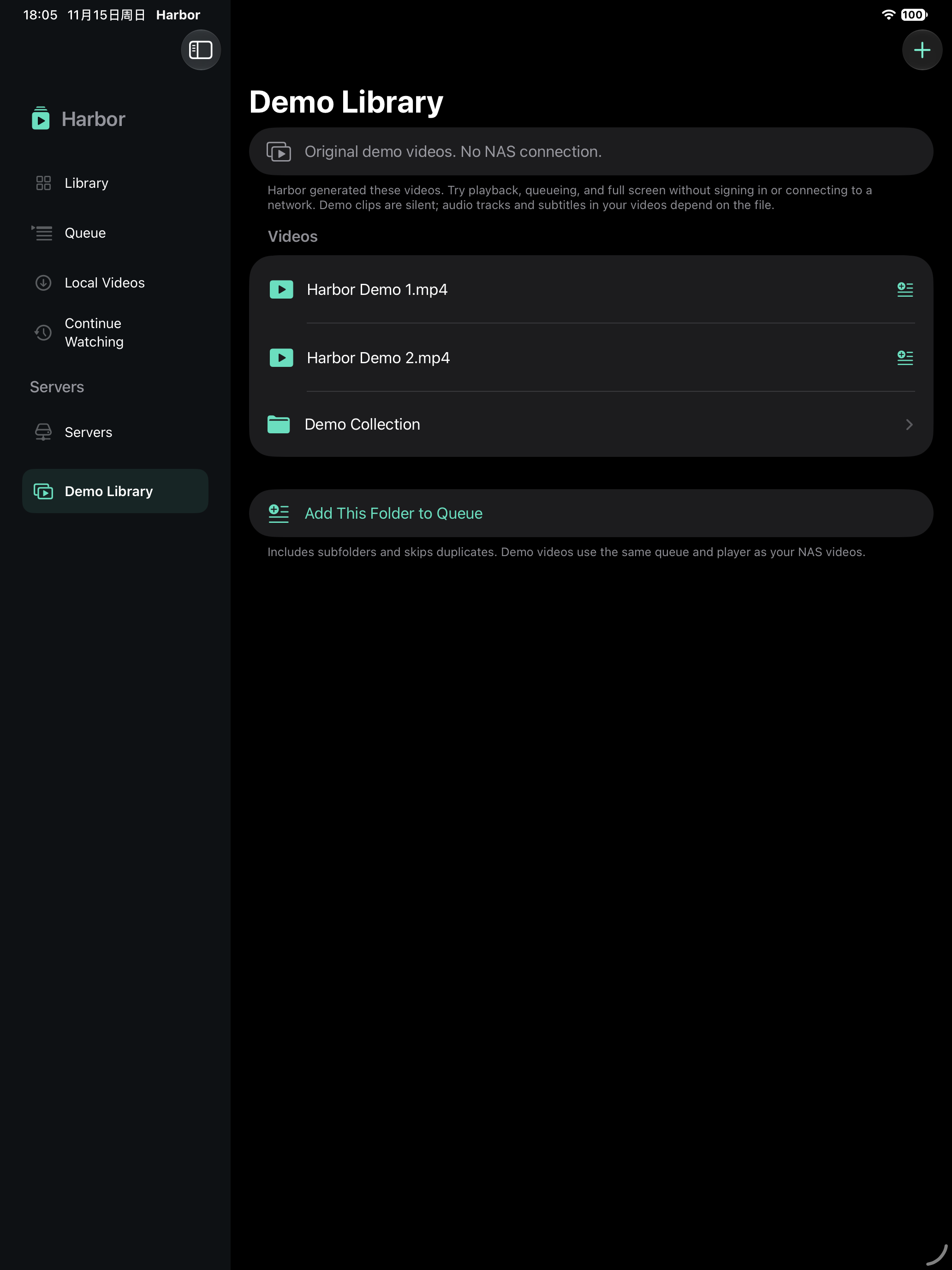
From folders to offline playback
- Browse WebDAV folders, search the current directory, and check file types and sizes.
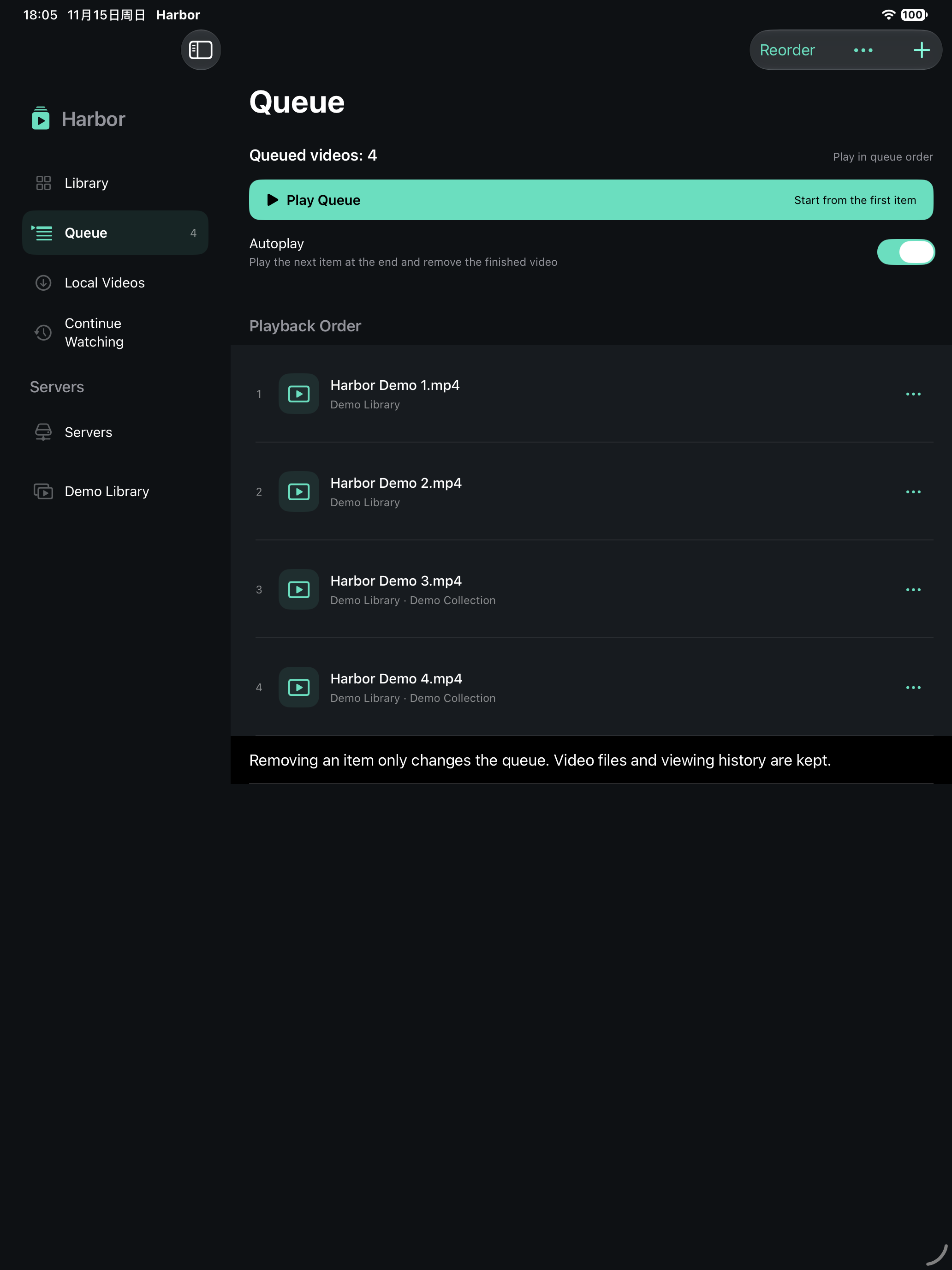
- Add videos or folders with subfolders to your queue, reorder them, and play continuously.
- Use system or VLC compatibility playback for formats including MKV, full-screen previous and next, local history and resume.
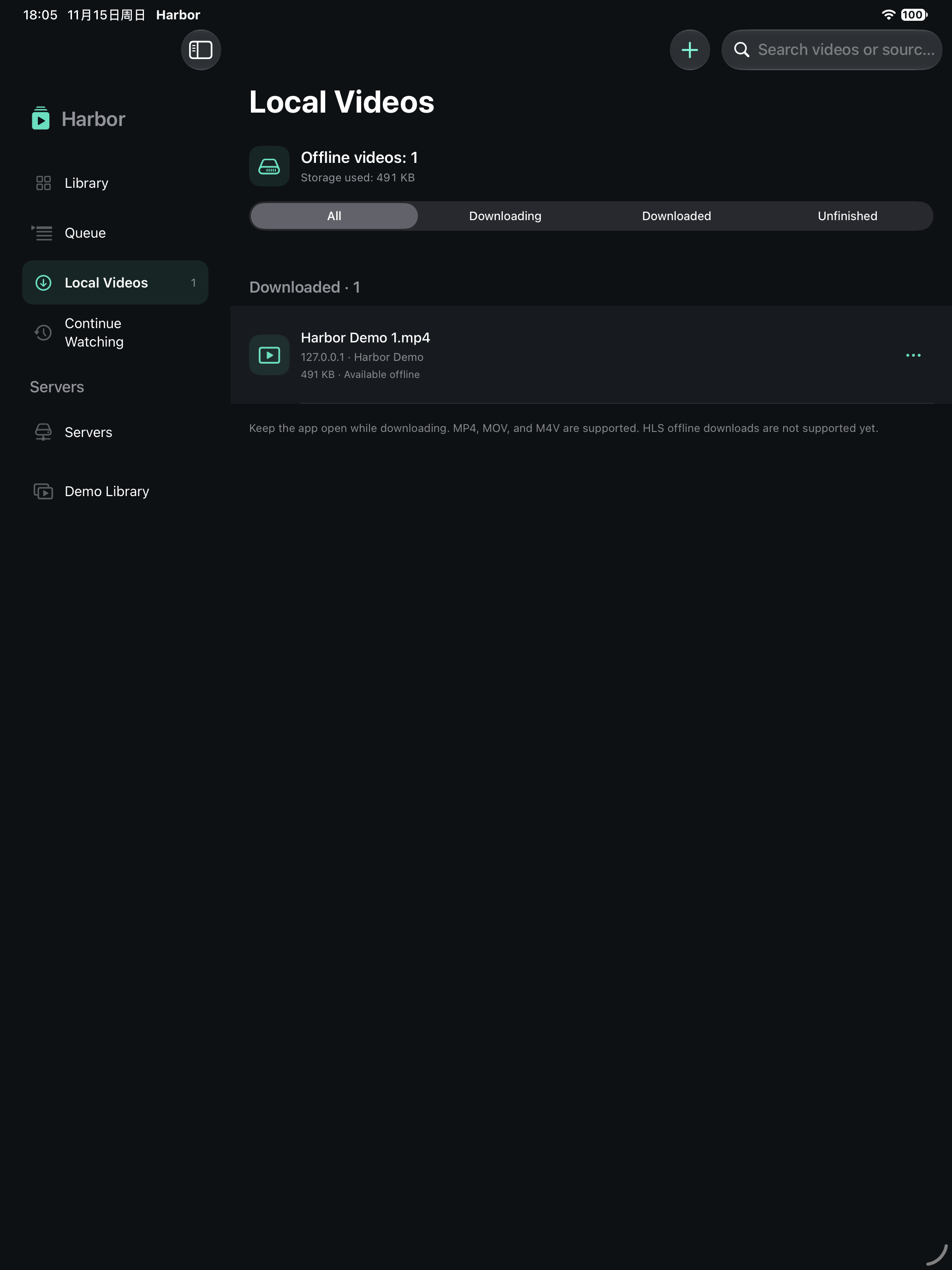
- Download supported standalone audio/video files, select multiple items or download a WebDAV folder; existing tasks are skipped.
- Track downloads, cancel or retry. Play completed files offline after restarting Harbor.
Your queue and local videos
Connections and history stay on your device
Harbor does not require a separate account and contains no ads or analytics SDK. Server passwords use the system Keychain. Playback and downloads connect directly to your server; TestFlight testing data is covered separately.
Read the privacy policyContact Harbor support
Include your app version, device, system version, steps to reproduce, and a redacted screenshot. Do not send NAS passwords, full token-bearing links or private videos. Email is sent only when you choose to send it.