
Harbor · WebDAV / HTTP
A video player for your home NAS
Connect to WebDAV on iPhone, iPad and Mac. Browse your videos, build a playback queue, or download them for offline viewing.
The latest 0.0.1 builds support standalone audio/video files, batch downloads and WebDAV folder downloads. TestFlight features depend on the installed build. The public link provides an iPhone / iPad build that also runs on compatible Apple silicon Macs.
Harbor 0.0.1 (611201303) · 39.2 MB
macOS 14 or later · Apple silicon and Intel
Open the DMG and drag Harbor to Applications, then open it. Use TestFlight for iPhone and iPad.
View SHA-256 checksum
bcb31e5b8e15862b465e5b188fa16badf48f4c68a865c78ecdd53f3649894414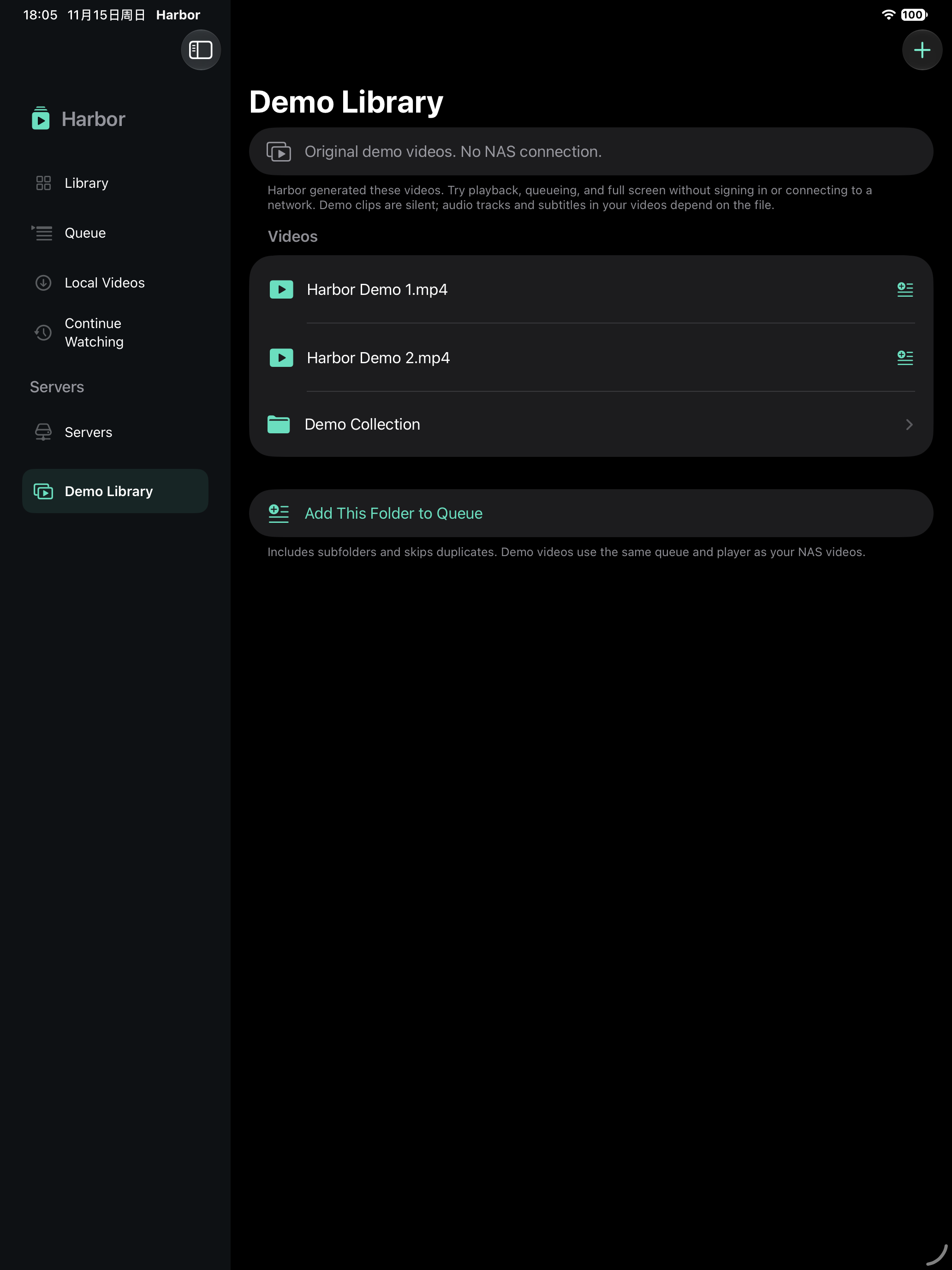
From folders to offline playback
- Browse WebDAV folders, search the current directory, and check file types and sizes.
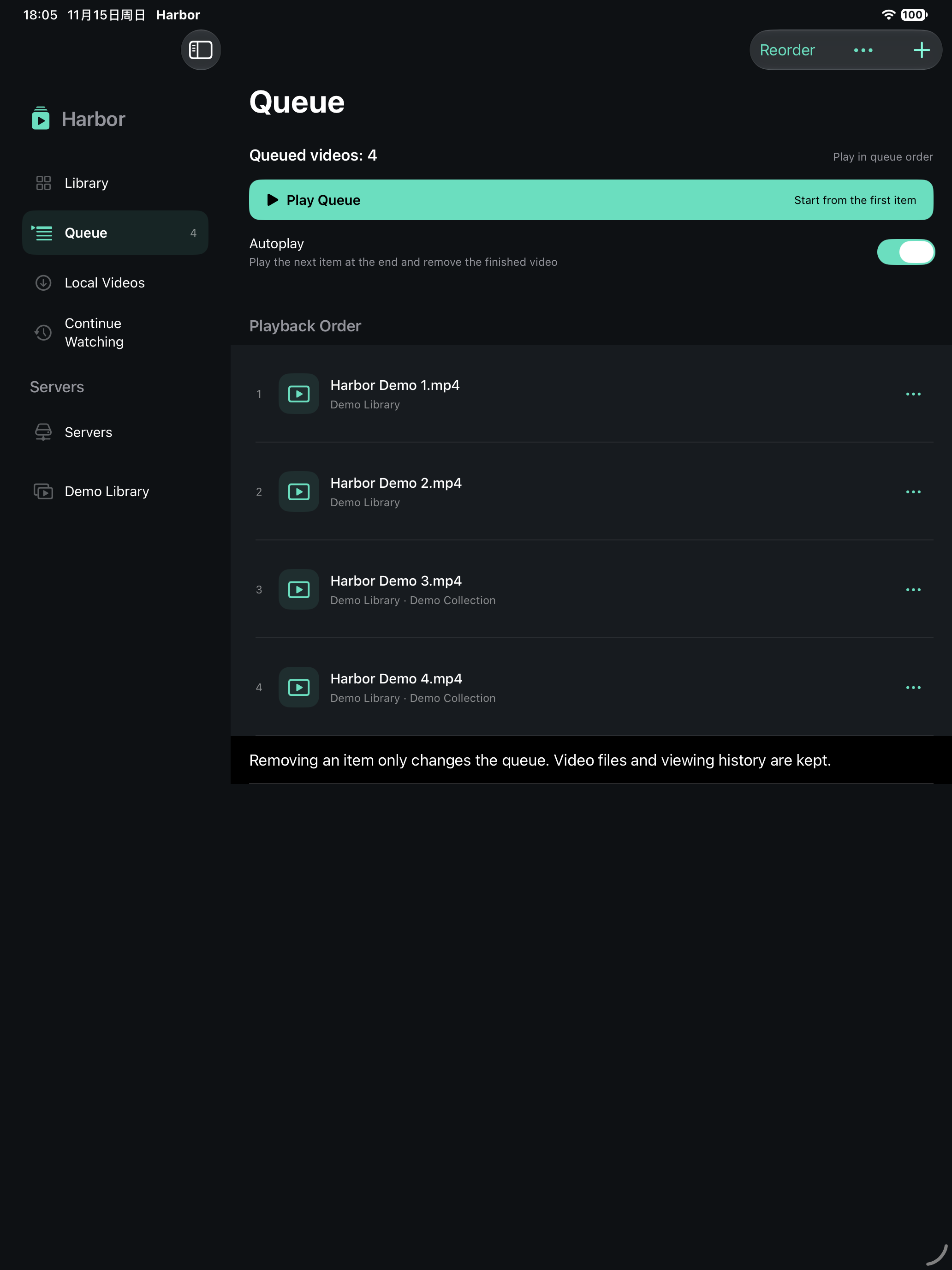
- Add videos or folders with subfolders to your queue, reorder them, and play continuously.
- Use system or VLC compatibility playback for formats including MKV, full-screen previous and next, local history and resume.
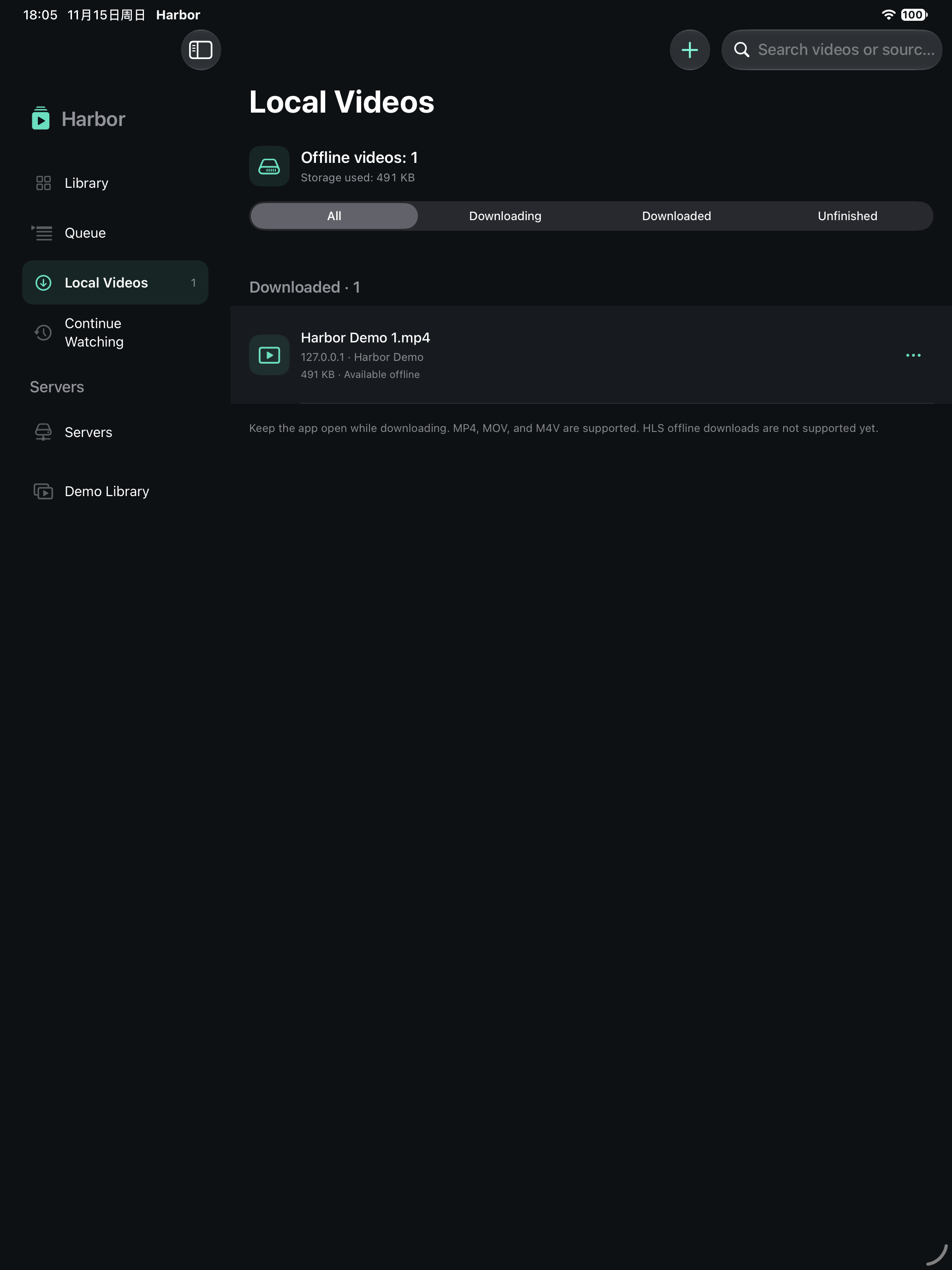
- Download supported standalone audio/video files, select multiple items or download a WebDAV folder; existing tasks are skipped.
- Track downloads, cancel or retry. Play completed files offline after restarting Harbor.
Your queue and local videos
Connections and history stay on your device
Harbor does not require a separate account and contains no ads or analytics SDK. Server passwords use the system Keychain. Playback and downloads connect directly to your server; TestFlight testing data is covered separately.
Read the privacy policyContact Harbor support
Include your app version, device, system version, steps to reproduce, and a redacted screenshot. Do not send NAS passwords, full token-bearing links or private videos. Email is sent only when you choose to send it.